 Pictools
On-device photo toolbox
Your photos.
Edited locally.
Crop a frame, compare two shots, lift the shadows or convert a whole batch. Work on your own device and keep your originals.
 MonoColor
- PNG
- JPG
- WebP
- BMP
- ICO
- TIFF
Four tools for your photos
Inspect a subtle difference or get a whole set of images ready to share.
Compare images
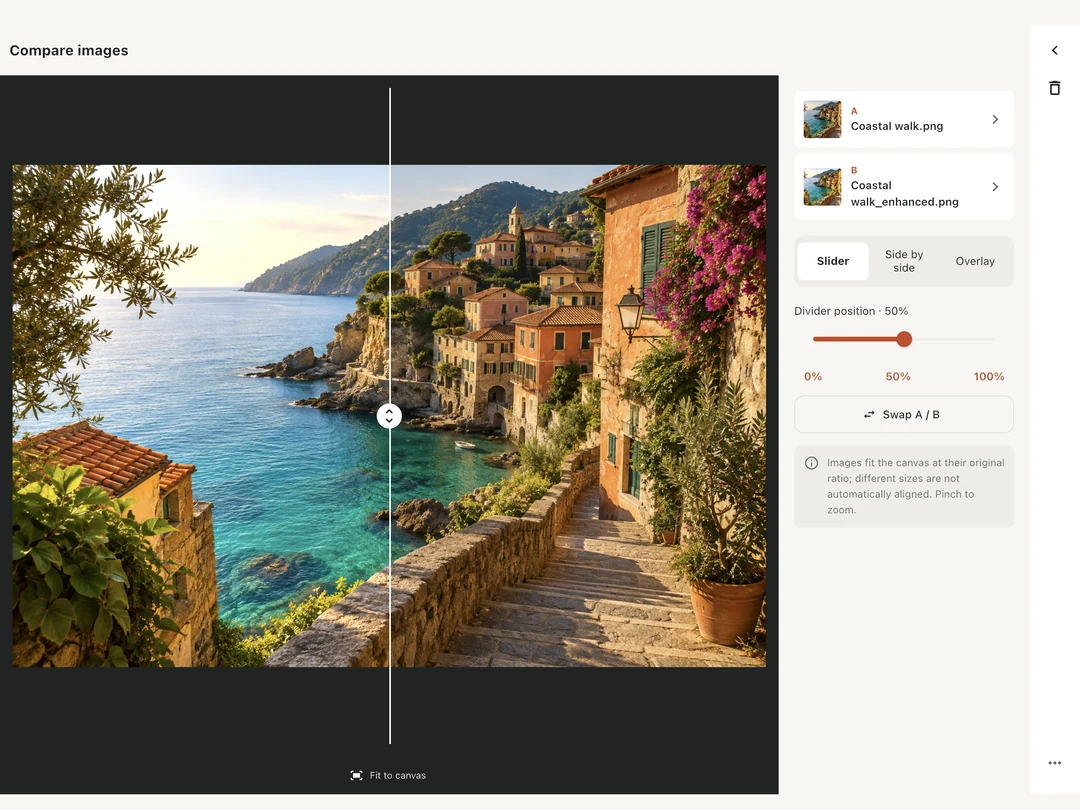
Slide across a pair of images to inspect the same detail. Switch to side-by-side views or blend them with an adjustable overlay.
Crop & resize
Reframe a shot with a preset aspect ratio, or enter exact pixel dimensions and lock the proportions.
Brighten photos
Lift the shadows on your device. Adjust the strength and check the result against the original before saving.
Batch convert
Give a group of files a common format. Set JPEG or WebP quality, or choose lossless WebP.
Your photos stay with you.
Pictools processes the images you choose on your device. The app requires no account and includes no advertising, analytics or tracking SDKs. Save a new copy or choose where to share it.
Read the privacy policy